 Notem
Notem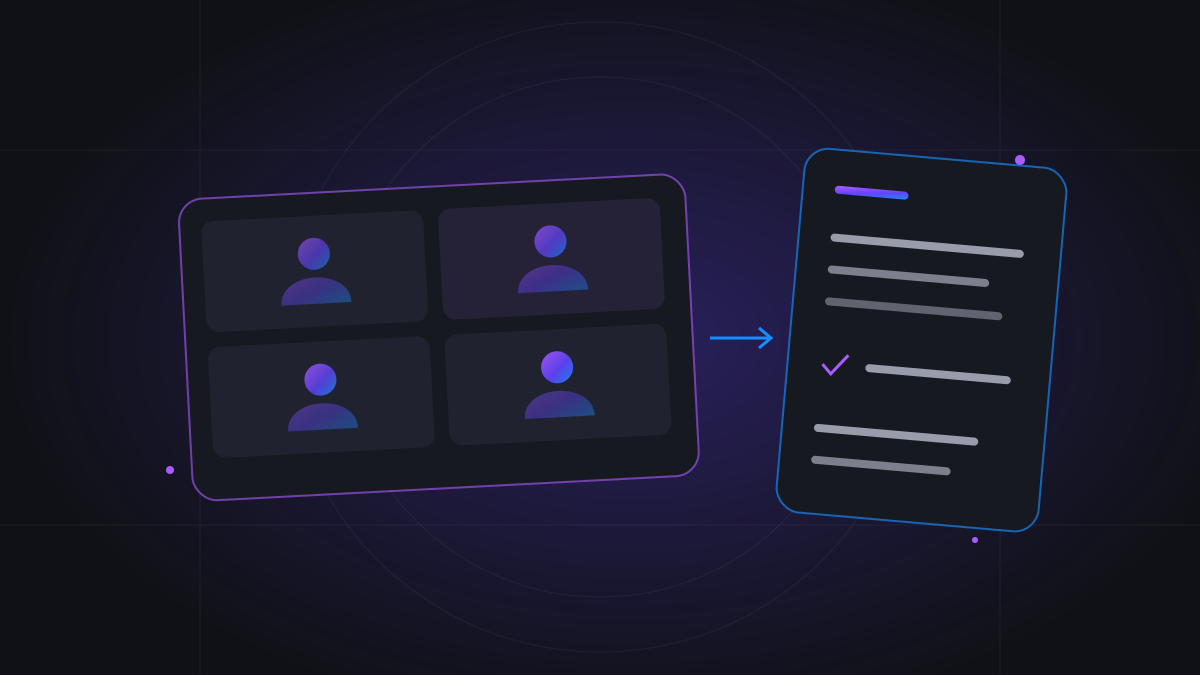
Start with a clear purpose for the summary
Before a call, decide what you will need afterward. A weekly team sync may need decisions and follow-ups. An interview may need examples and questions. A lecture may need key concepts. Choosing the purpose helps you review the output against the conversation rather than accept any short paragraph as a useful meeting summary.
Keep the distinction between the record and the outcome clear. A transcript preserves the discussion in text. A summary reduces it to the main points. Key notes provide detail, while decisions and action items identify agreements where the conversation supports them. You can read the summary first and return to the transcript for important wording or context.
Choose calendar auto-join or a manual meeting link
Notem can connect to Google or Outlook Calendar with read-only access. Enable attendance for eligible events and the meeting notetaker can join supported links near the meeting start. Calendar connection does not make every event recordable, override meeting policies, or grant access to a locked call. Check which meetings are enabled before relying on automatic attendance.
You can also paste a supported meeting URL to invite Notem manually. This is useful for a one-off meeting or when the link is not in your connected calendar. Use the actual conference invitation rather than a general platform homepage, confirm the meeting details, and give the host enough notice to admit the notetaker if required.
Summarize Google Meet meetings
For Google Meet, use the supported meeting link from your calendar event or manual invitation. Tell participants that the notetaker will capture the conversation, and make sure the host understands any admission request. Organization settings and the meeting's access rules still apply; an automated notetaker cannot guarantee entry simply because you have supplied a link.
After the session is processed, open the meeting in Notem and review its summary and notes. Check the parts that establish commitments or refer to figures. If you have an authorized audio recording instead of a captured meeting, you can use the audio-upload workflow. That route processes a recording; it is separate from inviting a bot to a live call.
Summarize Zoom meetings
For Zoom, supply a supported Zoom meeting link or enable the eligible calendar meeting. Check that the invitation contains the access information needed by the host's setup. Waiting rooms, admission choices, and meeting restrictions can affect capture. Coordinate with the host before a high-priority session rather than assuming the notetaker has the same access as a signed-in employee.
A summary becomes useful when it distinguishes the topic from the conclusion. For example, a customer call may discuss three possible launch dates without selecting one. Review the notes for that distinction and use the transcript to check the surrounding exchange. Share the confirmed outcome with the customer only after verifying any commitment it describes.
Summarize Microsoft Teams meetings
For Microsoft Teams, invite Notem with a supported meeting link or an eligible enabled event from Google or Outlook Calendar. Tenant policies, lobby settings, and host admission may restrict an external bot. Ask the organizer whether a notetaker is permitted, especially for meetings involving other organizations or confidential discussions.
When the notes are ready, check decisions and action ownership against the record. A discussion about who could take a task is different from an assignment accepted by that person. If ownership is unclear, ask for confirmation. Use the summary to prepare your next conversation, and keep the transcript available for the details that should not be compressed.
Capture clear audio and make the discussion easier to follow
A notetaker works from what it can hear. Use a working microphone, reduce background noise, and avoid talking over each other when a name, number, or decision matters. Introduce a new topic clearly and state a final agreement aloud. These habits help meeting participants first and also make the captured record easier to interpret.
Multilingual conversations need the same care. Notem is designed to preserve code-switching rather than turn mixed-language speech into a single-language transcript. Still, review names, technical vocabulary, and key statements. Unclear audio cannot be made reliable simply by producing a confident-sounding summary.
Review the summary in three passes
First, read the summary for the overall purpose and outcome. Second, inspect key notes for the issues that explain that outcome. Third, review decisions and action items where the selected profile includes them. This sequence is faster than rereading an entire meeting immediately, while preserving a path back to detail when something looks uncertain.
For an interview, prioritize transcript-grounded examples and follow-up questions. For a lecture, choose the student profile and review key concepts. Match the output to the conversation; a study session should not need invented workplace assignments to look organized. If a generated note conflicts with your recollection, inspect the transcript before relying on it.
- Confirm important names, figures, and dates.
- Keep conditions attached to deadlines and proposals.
- Separate decisions from ideas that were only discussed.
- Clarify task ownership with the people involved.
Share the outcome and keep meetings connected
Notem's workspace lets you revisit meeting history and search for retained notes. Give each meeting a recognizable title so it is easier to find later. A notes-only share link can help colleagues review the outcome without opening the owner-only transcript. Choose the audience deliberately, particularly when an interview or customer discussion contains sensitive context.
At the next meeting, start with the previous open questions and decisions. The point of summarizing online meetings is to carry information forward, not merely produce documents. A short review before a follow-up call can prevent the team from reopening an issue it already resolved or forgetting a condition attached to a plan.
Understand access, retention, and pricing
The current Notem trial covers up to seven successfully processed meetings in seven days. Monthly plans provide recorded-minute allowances, while PAYG uses $0.01 per started billable minute with no recurring subscription required. Online meeting-bot time can include waiting time for an admitted bot, so scheduled call length is not always the same as billable duration.
Transcripts are available for 90 days; generated notes persist. Review detailed passages while the transcript is available, and choose a payment model based on your expected usage. If you also meet in person, Live Notes offers browser-microphone recording with notes produced afterward. Check the current pricing and the platform-specific guidance before arranging your next capture.